Dashboard Overview
The Produce OS Overview gives teams a real-time command center for daily operations.
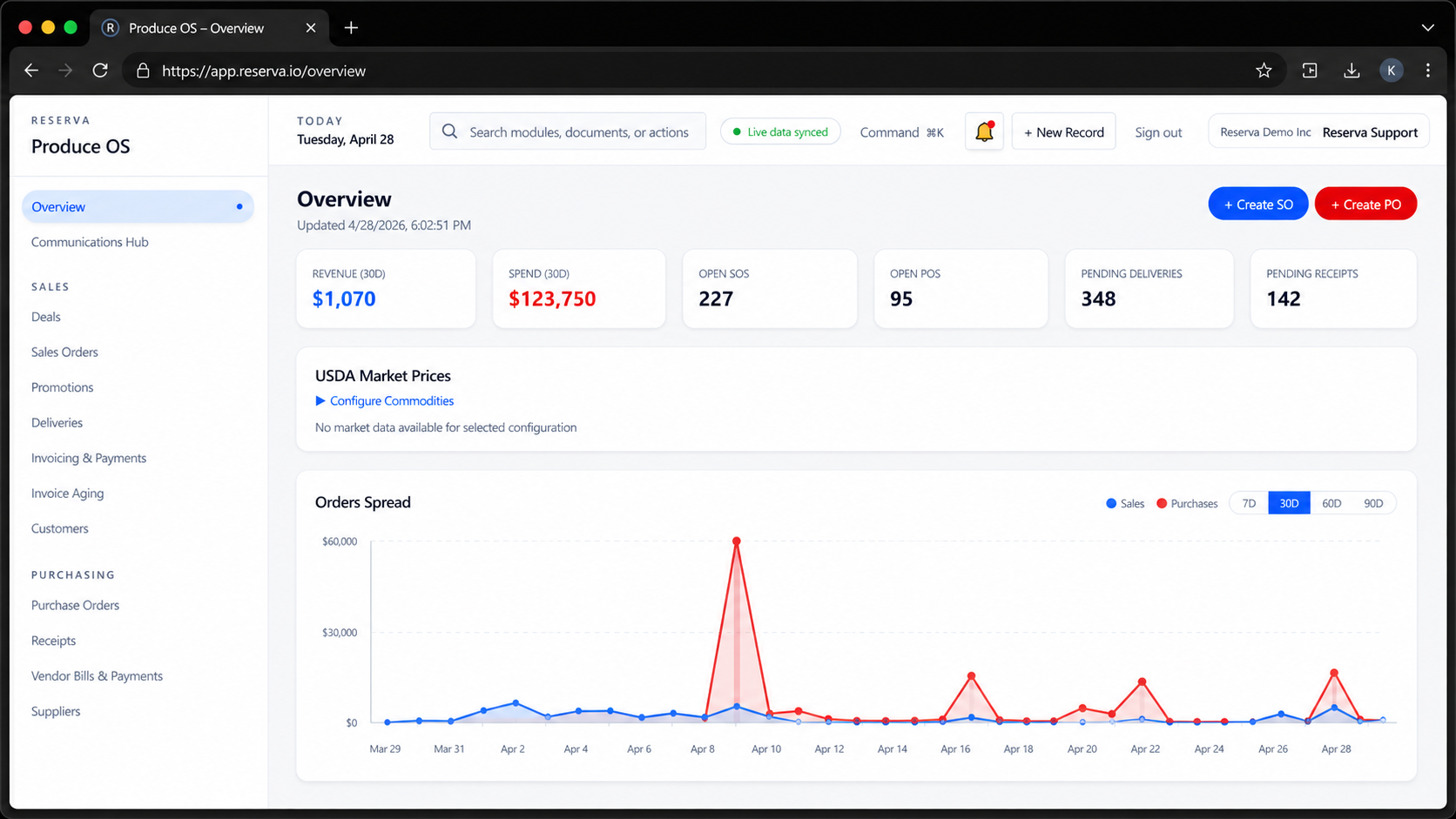
From one screen, users can monitor revenue, spend, open sales orders, open purchase orders, pending deliveries and pending receipts: all connected to the workflows that keep the business moving.
With live data synced across the platform, managers can make faster decisions, buyers can stay ahead of receipts, sales teams can track order flow and operations teams can keep deliveries moving with confidence.
Real-time Business KPIs
At the top of the dashboard, users get instant visibility into core metrics like revenue, spend, open sales orders (SOs), open purchase orders (POs), and pending logistics activity. These numbers update live as transactions happen across the system, giving leadership and operators a constant pulse on business performance without running reports.
Sales and Purchase Order Visibility
The platform tracks both sides of the business (what you’re selling and what you’re buying) in real time. Users can see how many orders are open, monitor activity trends (via the Orders Spread chart), and quickly identify spikes or gaps between sales and purchasing. This helps teams stay aligned and avoid overbuying or underselling.
Upcoming Shipment Tracking
The “Upcoming Shipments” section highlights what’s coming in and going out. It surfaces inbound receipts and outbound deliveries tied directly to orders, along with statuses and exceptions (like invalid dates). This allows logistics and warehouse teams to anticipate workload, coordinate pickups, and avoid delays.
Inventory and Commodity Overview
Users can view current inventory by commodity, including detailed product listings (e.g., lots, pack styles, origins). This is critical in produce, where visibility into specific SKUs and lot-level inventory drives better selling, sourcing, and fulfillment decisions.
Market Pricing Access
The USDA Market Prices module connects operational data with market intelligence. Users can configure commodities and view relevant pricing data, helping buyers and sales teams make informed decisions based on current market conditions.
Quick Actions for Creating Orders
From the dashboard, users can immediately take action with shortcuts like “Create SO” (Sales Order) and “Create PO” (Purchase Order). This reduces friction between insight and execution, instead of navigating multiple menus, teams can act directly from the overview.
Live Operational Alerts and Issue Tracking
The system surfaces real-time alerts such as open incidents (e.g., inventory discrepancies, operational issues). This ensures teams can quickly identify and resolve problems before they impact customers, inventory accuracy, or financials.
Ready to experience Produce OS?
Take your Produce Business to the next level!